
Overview
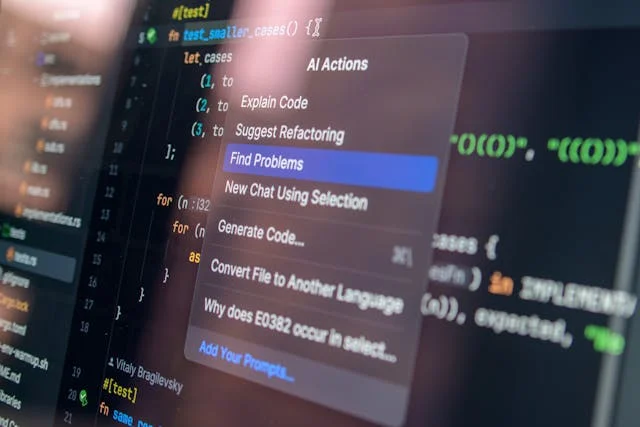
We all have the same 24 hours in a day, but somehow, some people seem to squeeze 48 hours of output out of them. In 2026, the secret isn’t just “working harder”—it’s leveraging the right technology. Artificial Intelligence has moved far beyond simple chatbots; it is now the invisible engine powering the most efficient workflows in the world.
Whether you are a student drowning in research papers, an entrepreneur juggling ten hats, or a remote worker trying to reclaim your evenings, AI is the answer. But with thousands of new apps launching every month, finding the right ones can feel like a full-time job.
This guide cuts through the noise. We will explore the best AI tools for productivity hacks in 2026, showing you not just what to use, but how to use them to automate the boring stuff and focus on deep work.
What Are AI Productivity Tools & Why They Matter
AI productivity tools are software applications that use machine learning and natural language processing to automate cognitive tasks. Unlike traditional tools that just organize your work (like a calendar), AI tools actively do the work for you—summarizing emails, drafting documents, or scheduling meetings based on your habits.
In 2026, these tools generally fall into five key categories:
- Generative Writing: Drafting emails, blogs, and reports.
- Smart Scheduling: managing calendars and protecting focus time.
- Project Management: predicting project timelines and assigning tasks.
- Intelligent Research: synthesizing vast amounts of data instantly.
- Meeting Assistants: transcribing and summarizing voice conversations.
Why It Matters Now
The efficiency gap is widening. Data from early 2026 suggests that professionals utilizing AI workflow automation save an average of 12 hours per week. That is a day and a half of regained time.
Consider the “Email Black Hole.” A standard worker spends 28% of their week on email. AI tools can draft replies and sort inboxes, cutting that time in half. This isn’t just about speed; it’s about reducing decision fatigue so you can use your brain for high-value creative problem-solving.
Top AI Tools for Productivity Hacks in 2026
We’ve tested the market leaders to bring you the definitive list of tools that actually deliver on their promises.
ChatGPT — Writing & Task Automation
The Swiss Army Knife of AI
By 2026, ChatGPT (running on GPT-5 architecture) has evolved from a chatbot into a fully integrated workspace assistant. It doesn’t just write; it executes.
- How it helps: It connects with your other apps via API integrations to perform complex sequences.
- Real-Life Hack: Use the “Voice Mode” during your commute to dictate a rough brain dump of a project. Ask ChatGPT to “Format this into a project brief with milestones and email it to my team.” It handles the formatting and drafting instantly.
- Pricing: Free basic version; Plus is $20/month.
Notion AI — Project Notes & Task Summaries
The Second Brain
Notion has seamlessly blended AI into its database structure. It turns messy notes into actionable databases.
- How it helps: It can scan a 5,000-word project document and extract a “To-Do” list, assigning owners and dates automatically.
- Real-Life Hack: The “Q&A” feature allows you to ask questions about your own workspace. Instead of searching through folders, type “What was the decision we made about the marketing budget in last week’s meeting?” and it finds the answer from your notes.
- Pricing: Add-on to Notion plans (~$10/user/month).
Otter.ai — Meeting Transcription & Action Items
The Automated Scribe
Stop taking notes. Seriously. Otter.ai joins your Zoom, Teams, or Google Meet calls and records everything.
- How it helps: It distinguishes between speakers and generates a searchable transcript in real-time.
- Real-Life Hack: If you are double-booked, send Otter to one meeting. It will record it, and you can use the “Otter Chat” feature later to ask, “Did anyone mention my name or assign me a task?” effectively letting you be in two places at once.
- Pricing: Free tier available; Pro starts at $10/month.
ClickUp Brain — Automate Task Management
The Project Manager That Never Sleeps
ClickUp’s AI, “Brain,” is embedded deeply into tasks, docs, and dashboards.
- How it helps: It predicts which tasks are likely to be overdue based on your team’s past velocity and suggests timeline adjustments.
- Real-Life Hack: Use the “StandUp” feature. Instead of typing out what you did yesterday, ClickUp Brain scans your completed tasks and comments to auto-generate your daily standup update for Slack.
- Pricing: Part of ClickUp’s premium plans.
Reclaim.ai — Smart Scheduling & Focus Blocks
The Time Defender
Reclaim.ai sits on top of Google Calendar and aggressively defends your time.
- How it helps: It integrates your to-do list with your calendar. If you have a high-priority task, Reclaim blocks time for it automatically.
- Real-Life Hack: The “Decompression Time” hack. Set Reclaim to automatically add a 15-minute buffer after every video call. It prevents back-to-back burnout and gives you time to process notes.
- Pricing: Free for individuals; Team plans available.
Perplexity AI — Research Assistant
The Search Engine Replacement
Perplexity offers concise, cited answers rather than a list of blue links.
- How it helps: It synthesizes information from multiple sources to answer complex questions instantly.
- Real-Life Hack: Use it for competitor analysis. Ask, “Compare the pricing models of Tool A vs. Tool B and create a comparison table.” It builds the table for you in seconds, saving hours of clicking through websites.
- Pricing: Free; Pro version offers deeper file analysis.
How to Build a Productivity Workflow Using AI
Buying the tools is easy; connecting them is where the magic happens. Here is how to stack these AI tools for productivity hacks into a cohesive system.
Phase 1: The Morning Brief
Instead of checking email first, check your Notion AI dashboard. Set up a view where AI summarizes yesterday’s key wins and today’s top 3 priorities. This prevents you from starting the day in “reactive” mode.
Phase 2: The Deep Work Block
Reclaim.ai has already blocked 9:00 AM to 11:00 AM for “Deep Work” on your calendar. During this time, use ChatGPT or Perplexity to do the heavy lifting—drafting the proposal or researching the market data. You aren’t writing from scratch; you are editing the AI’s output.
Phase 3: The Meeting Circuit
At 11:00 AM, your meetings start. Otter.ai is running in the background. You are fully present, making eye contact, not looking down at a notebook.
Phase 4: The Automated Follow-Up
Post-meeting, copy the Otter transcript summary into ClickUp. Ask ClickUp Brain to “Turn this summary into tasks.” It creates the tickets. Then, ask ChatGPT to “Draft a follow-up email to the client summarizing these next steps.”
This workflow turns a chaotic 10-hour day into a streamlined 6-hour power session.
Comparative Table — Best Tools by Category
Tool | Category | Best For | Pricing | Key 2026 Hack |
|---|---|---|---|---|
ChatGPT | Writing/General | Everything | Free / $20 mo | Voice-to-text project drafting |
Notion AI | Knowledge Mgmt | Organizing Notes | +$10/user | “Ask your workspace” search |
Reclaim.ai | Scheduling | Protecting Time | Free / Paid | Buffer time automation |
Otter.ai | Meetings | Transcriptions | Free / $10 mo | “Double-booking” attendance |
ClickUp | Project Mgmt | Task Automation | Premium | Auto-generating standups |
Perplexity | Research | Fast Answers | Free / $20 mo | Competitor comparison tables |
Case Studies — Real Productivity Hacks That Work
Example 1: The Solo Founder
Sarah, running a boutique marketing agency.
Problem: Spending 15 hours a week on client reporting and emails.
The Hack: She connected her analytics tools to ChatGPT via Zapier. Now, every Friday, AI pulls the data, writes a personalized summary for each client, and drafts the email.
Result: Sarah reclaimed 12 hours a week, allowing her to sign two new clients without hiring extra staff.
Example 2: The Overwhelmed Manager
David, Product Manager at a tech firm.
Problem: Back-to-back meetings meant he never updated the project roadmap.
The Hack: He implemented Otter.ai and ClickUp Brain. Otter recorded the meetings; ClickUp extracted the feature requests from the transcripts and updated the roadmap status automatically.
Result: His roadmap is always real-time, and he leaves work at 5 PM instead of 7 PM.
Example 3: The Graduate Student
Maya, PhD candidate.
Problem: Synthesizing hundreds of academic papers.
The Hack: She used Perplexity Pro to upload PDFs of research papers. She could then ask, “What are the conflicting arguments between Author A and Author B?”
Result: What used to take a week of reading and cross-referencing now takes an afternoon of querying the AI.
Pros & Cons of AI Productivity Tools
While powerful, AI tools for productivity hacks are not without their downsides.
Pros:
- Speed: Tasks that took hours now take minutes.
- Accuracy: AI doesn’t make typos or calculation errors (usually).
- Scalability: You can handle more work without burning out.
- Cost: Subscriptions are cheaper than hiring an assistant.
Cons:
- The Learning Curve: Configuring these tools takes time upfront.
- Over-Reliance: You risk losing your own critical thinking skills if you auto-pilot everything.
- Privacy: Be careful uploading sensitive company IP or personal data into public AI models.
- Subscription Fatigue: $20 here and $10 there adds up quickly.
Future of AI Productivity in Workflows
If 2026 is the year of the “Copilot,” 2027 will be the year of the “Agent.”
Currently, we still have to prompt the AI. We have to tell ChatGPT to write the email. The next wave of productivity tools will be Autonomous Agents. Imagine telling your AI, “Plan a business trip to London for next month.”
The AI agent will check your calendar, book the flights based on your airline preference, reserve the hotel near your meeting location, and send invites to your London contacts—all without you clicking a single button.
We are also seeing deeper workflow integration. Tools won’t just “talk” to each other; they will share a brain. Your calendar will know you are stressed because your biometric watch says so, and it will automatically reschedule non-urgent meetings. The future of productivity is personalized, predictive, and proactive.
FAQ Section
What are the best AI tools to boost productivity?
For most users in 2026, the “essential stack” is ChatGPT (for general tasks), Notion AI (for organization), and Reclaim.ai (for calendar management). These three cover the core bases of creating, organizing, and scheduling.
How do AI tools help automate tasks?
AI tools automate tasks by connecting different steps of a workflow. For example, instead of you manually copying a meeting action item to your to-do list, an AI tool recognizes the action item in the transcript and creates the task for you via API integration.
Are free AI productivity hacks worth it?
Absolutely. You can build a powerful system using the free versions of ChatGPT, Notion, and Google Calendar. The paid versions usually offer higher limits, faster processing, or team collaboration features, but they aren’t strictly necessary for individual productivity.
What is the best AI tool for scheduling?
Reclaim.ai is widely considered the best for personal productivity because it focuses on “defending” your time. Motion is another strong competitor, particularly for teams who need complex project scheduling auto-arranged.
How to choose the right AI tool for your needs?
Start with your biggest pain point. Is it email? Try an AI writer. Is it meetings? Get a transcriber. Don’t try to adopt five new tools at once. Master one, automate that workflow, and then move to the next bottleneck.
Conclusion
The era of manual drudgery is ending. AI tools for productivity hacks in 2026 offer a way out of the “busy trap.” They allow us to offload the repetitive, low-value tasks that clog up our days so we can focus on what humans do best: strategy, creativity, and connection.
Don’t let the technology intimidate you. Start with one tool—maybe an automated meeting note-taker or a smart calendar blocker. Experiment with it for a week. Once you feel the relief of having that mental load lifted, you’ll never go back.
Ready to reclaim your time? Pick one tool from the list above and set it up today. Let us know in the comments: what is the one boring task you would love to hand over to AI right now?
About the Author