Stop me if you’ve heard this before. You’re researching new tech for your business, trying to decide between “spatial computing” and “augmented reality” solutions, and every article gives you the same circular definition: spatial computing includes AR, but AR is spatial computing, but they’re different, but maybe not? By paragraph three, you’re more confused than when you started.
I’ve spent the last few years watching enterprise clients struggle with this exact terminology maze. Here’s the truth: the distinction matters more in 2026 than ever before, not because the technologies are vastly different, but because the framing determines your strategy, budget, and implementation approach. Mix them up, and you’ll buy the wrong hardware, hire the wrong developers, and measure the wrong outcomes.
What you’ll actually learn:
- Why Apple calling Vision Pro a “spatial computer” changed the entire industry’s vocabulary
- The specific technical boundaries that separate AR from the broader spatial computing stack
- Real decision frameworks for choosing between AR glasses and full spatial computing platforms
- How the “Virtual Continuum” affects your product roadmap and user experience design
- When to invest in spatial computing infrastructure versus simple AR overlays
- The hidden costs of confusing these terms in enterprise deployments
This isn’t about academic definitions. It’s about making smart technology decisions in a landscape where the vocabulary shapes the strategy.
Quick Overview
Spatial computing is the broad technological ecosystem enabling digital-physical world interaction through AI, sensors, and computer vision. Augmented reality is a specific subset focusing on visual overlays of digital content onto the real world. Think of spatial computing as the highway system and AR as one type of vehicle driving on it.
Table of Contents
- Why the Distinction Suddenly Matters in 2026
- Spatial Computing: The Full Stack Explained
- Augmented Reality: One Piece of the Puzzle
- The Virtual Continuum: Where They Overlap
- Hardware Reality Check: Glasses vs Headsets
- Five Use Cases That Show the Difference
- Development Considerations You Can’t Ignore
- Pros and Cons: Choosing Your Approach
- Investment and Infrastructure Requirements
- Making the Right Choice for Your Project
Why the Distinction Suddenly Matters in 2026
For years, we used “AR/VR” as catch-all terms. Then Apple launched Vision Pro and deliberately avoided calling it AR, VR, or even mixed reality. They called it a “spatial computer,” and overnight, the industry’s vocabulary shifted.
What I’ve noticed consulting with enterprise clients is that this wasn’t just marketing. Apple’s terminology signals a fundamental architectural difference. When you buy “AR glasses,” you’re buying a display layer. When you invest in “spatial computing,” you’re buying an ecosystem that understands space, context, and physical environment through multiple sensory inputs.
The confusion costs real money. I watched a manufacturing client spend six figures on “AR solutions” expecting the environmental awareness and hand-tracking capabilities of spatial computing. They got floating instruction manuals that couldn’t recognize the machines they were supposed to service. Wrong vocabulary led to wrong expectations led to failed implementation.
In 2026, the distinction determines your talent strategy too. AR developers know Unity and overlay design. Spatial computing engineers understand sensor fusion, simultaneous localization and mapping (SLAM), and edge computing integration. Hire the former when you need the latter, and your project stalls immediately.
Spatial Computing: The Full Stack Explained
Spatial computing, coined by Simon Greenwold back in 2003, refers to machines that interact with three-dimensional space. But that’s just the elevator pitch. The full picture is more complex and more powerful.
At its core, spatial computing combines multiple technology layers: computer vision that processes camera data to understand objects and depth; sensor fusion that merges inputs from LiDAR, IMUs, GPS, and microphones into a coherent environmental model; AI that interprets this data to enable natural interactions; and edge computing that processes this information locally rather than shipping it to distant servers.
What works best is thinking of spatial computing as an infrastructure play. Like mobile computing required cellular networks, app stores, and touchscreen interfaces to transform society, spatial computing requires environmental mapping, low-latency processing, and new interaction paradigms. It’s not just what you see—it’s what the system understands about where you are and what you’re doing.
This matters because spatial computing enables applications that AR alone cannot. A true spatial computing platform knows the geometry of your room, remembers where you placed virtual objects yesterday, recognizes your gestures without controllers, and adjusts content based on ambient lighting and sound. AR without this infrastructure is just a heads-up display.
Augmented Reality: One Piece of the Puzzle
Augmented reality overlays digital content onto your view of the real world. That’s it. Whether through smartphone cameras, AR glasses like XREAL Air, or transparent headsets like Magic Leap, AR’s defining characteristic is the visual layer.
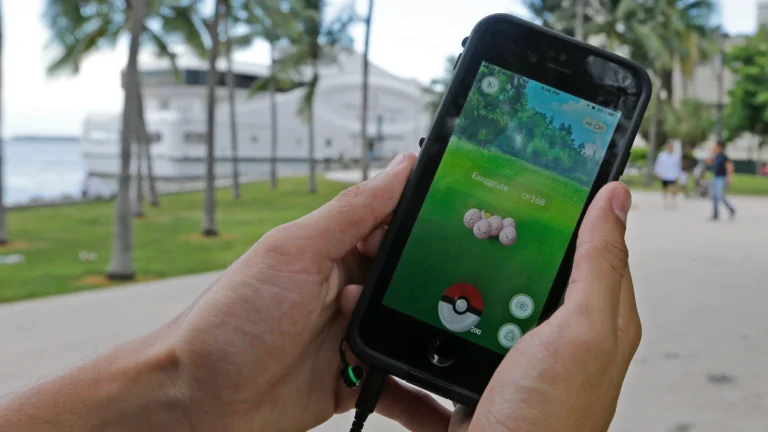
AR can exist without full spatial computing. Early Pokemon Go used basic GPS and gyroscopes to place creatures in approximate locations. Simple AR glasses project floating screens that follow your head movement without understanding your environment. These are valid AR experiences, but they’re not spatial computing.
The limitation shows up in interaction depth. Basic AR knows you’re looking at a table and can place a 3D model on it. Spatial computing knows it’s a wooden table, understands its dimensions and surface texture, remembers you placed a virtual coffee cup there yesterday, and can occlude the cup realistically when you walk behind the table.
For many use cases, AR is sufficient. If you need floating monitors for productivity, simple wayfinding arrows, or basic product visualization, full spatial computing is overkill. But if you need environmental understanding, persistent digital objects, or complex hand interactions, AR alone won’t deliver.
The Virtual Continuum: Where They Overlap
Understanding spatial computing vs augmented reality requires grasping the Virtual Continuum, a concept from researchers Milgram and Kishino that describes the spectrum from completely physical to completely virtual environments.
At one end sits your unaugmented physical world. Moving along the continuum, you hit augmented reality—physical world dominant with digital overlays. Further along sits mixed reality, where physical and virtual objects interact meaningfully. Then augmented virtuality, where virtual environments incorporate real-world elements. Finally, full virtual reality.
Spatial computing spans this entire continuum. It’s the underlying capability that enables movement along the spectrum. AR occupies just one section of this continuum. When people say “spatial computing includes AR,” this is what they mean—spatial computing is the highway running from physical to virtual, and AR is one exit along the route.
What I’ve noticed confuses clients is that mixed reality (MR) sits in the middle of this continuum but is often marketed as distinct from both AR and spatial computing. In reality, MR is just high-fidelity AR enabled by sophisticated spatial computing infrastructure. When Apple Vision Pro shows you your physical room with virtual objects that cast realistic shadows and respond to your hand movements, that’s MR made possible by spatial computing, not just “better AR.”
Hardware Reality Check: Glasses vs Headsets
The hardware landscape makes the distinction concrete. In 2026, you generally find AR in two form factors: smartphone-based AR using your camera and screen, and lightweight AR glasses like XREAL Air 2 Pro or VITURE One that project displays into your field of view. These devices prioritize comfort and wearability over environmental understanding.
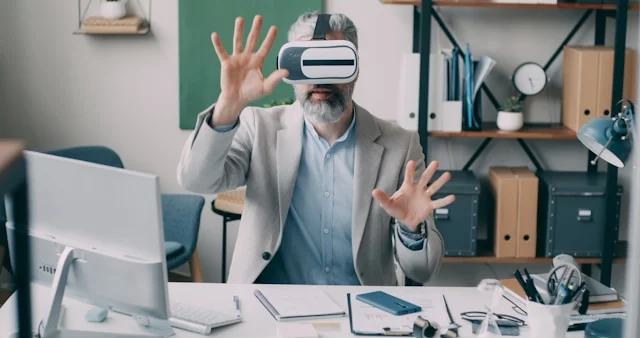
Spatial computing hardware—Apple Vision Pro, Meta Quest Pro, Microsoft HoloLens—looks bulkier because it contains the sensors and processors needed for spatial understanding. These headsets run computer vision algorithms in real-time, map your environment continuously, and track your hands, eyes, and body position.
The trade-off is stark. AR glasses weigh less than 100 grams and you can wear them for hours. Spatial computing headsets currently weigh 300-600 grams and work best for 30-60 minute sessions. But AR glasses can’t anchor virtual objects precisely in space or understand your gestures. They project screens that float in your vision, not objects that exist in your room.
This hardware divide drives the terminology confusion. When vendors say “spatial computing glasses,” they’re often stretching the definition. True spatial computing requires sensor arrays that don’t fit in sunglasses form factors yet. What they mean is “AR glasses that work within a spatial computing ecosystem,” which is different from standalone spatial computing capability.
Five Use Cases That Show the Difference
Theory aside, let’s look at real scenarios where the distinction determines success or failure.
Remote assistance: An AR solution shows a technician static arrows pointing to machine parts. A spatial computing solution recognizes the specific machine model, highlights the exact component based on real-time video analysis, and allows the remote expert to place persistent annotations that stay locked to the physical object even when the technician moves around. Same use case, vastly different capability.
Interior design: Basic AR lets you place a virtual couch in your room to see if it fits. Spatial computing understands your room’s lighting conditions and adjusts the couch’s shadows and reflections accordingly. It remembers you moved the couch yesterday and asks if you want to return it to that position. It can suggest complementary pieces based on your existing furniture’s style, recognized through computer vision.
Training simulations: AR overlays checklists or diagrams onto physical equipment. Spatial computing creates a digital twin of the equipment that responds realistically to the trainee’s actions. If they turn the wrong valve, the system simulates the consequences. It tracks hand position precisely to ensure proper grip technique, not just approximate completion.
Navigation: AR puts floating arrows on the sidewalk showing you where to turn. Spatial computing understands building interiors, recognizes you’ve entered a specific conference room, and automatically pulls up relevant documents. It knows you’re running late based on your calendar and walking speed, then adjusts the route dynamically.
Social interaction: AR video calls project a flat screen of the other person into your view. Spatial computing creates a 3D representation that makes eye contact possible, understands spatial audio so voices come from where people are positioned virtually, and allows shared manipulation of 3D objects in the space between you.
Development Considerations You Can’t Ignore
If you’re building for these platforms, the vocabulary affects your technical approach fundamentally.
AR development typically uses ARCore or ARKit for mobile, or Unity/Unreal with basic overlay capabilities for glasses. You worry about plane detection, anchor placement, and rendering digital content on top of camera feeds. The physics are simple because digital and physical don’t really interact.
Spatial computing development requires understanding sensor fusion, SLAM algorithms, scene understanding, and hand-tracking APIs. You’re building applications that reason about space, not just display in space. The physics matter—objects need realistic occlusion, lighting response, and collision detection with real-world geometry.
What works best is matching your development approach to actual user needs. I’ve seen teams over-engineer simple AR use cases with spatial computing stacks, adding months of development time for features users don’t need. Conversely, I’ve watched AR-only approaches fail because they couldn’t handle basic environmental interactions that users expected.
The talent market reflects this. AR developers are more plentiful and less expensive. Spatial computing engineers command premium rates and are harder to find. If your project doesn’t genuinely need environmental understanding, you’re burning budget on unnecessary complexity.
Pros and Cons: Choosing Your Approach
| Factor | Augmented Reality | Full Spatial Computing |
|---|---|---|
| Hardware cost | $300-$600 for glasses | $3,000-$3,500 for headsets |
| Development time | Weeks to months | Months to years |
| Environmental understanding | Basic plane detection | Full 3D scene mesh |
| Interaction depth | Limited to gaze/controller | Hand tracking, eye tracking, body pose |
| Comfort for long use | 4-8 hours comfortable | 30-60 minutes optimal |
| Use case complexity | Information overlay, simple visualization | Complex simulation, environmental interaction |
| Infrastructure needs | Minimal cloud dependency | Heavy edge computing requirements |
The pattern is clear: AR offers accessibility and comfort at the cost of capability. Spatial computing delivers transformative experiences but demands significant investment in hardware, infrastructure, and expertise.
Investment and Infrastructure Requirements
Here’s where confusing the terms gets expensive. AR projects typically require app development and content creation budgets. Spatial computing projects need those plus significant backend infrastructure.
Real spatial computing requires environmental mapping databases, low-latency edge servers for processing, and persistent cloud storage for spatial anchors. When you place a virtual object in your office using true spatial computing, that object’s position gets stored in a spatial map that other devices can access. Maintaining that infrastructure isn’t trivial.
I’ve noticed enterprise clients consistently underestimate spatial computing infrastructure costs by 40-60%. They budget for headsets and development but forget the ongoing costs of spatial mapping services, cloud processing, and maintaining digital twins of physical environments.
AR avoids most of this. If you’re projecting assembly instructions onto a workbench, you don’t need persistent spatial maps or cloud-based scene understanding. The processing happens locally, the content is transient, and the infrastructure is minimal.
For 2026 planning, be honest about which category you need. If your use case works with floating information displays, buy AR glasses and save the infrastructure budget. If you need digital objects to persist in physical space and interact with real environments, prepare for the full spatial computing investment.
Making the Right Choice for Your Project
After years of guiding clients through this decision, I’ve developed a simple framework. Ask three questions:
Does the digital content need to remember where it is? If you place a virtual sticky note on your refrigerator, does it need to be there tomorrow when you put on the device again? If yes, you need spatial computing’s persistent spatial mapping. If no, AR suffices.
Does the user need to interact with digital content using their hands naturally? Not clicking a controller, but grabbing, pushing, and manipulating virtual objects like physical ones. If yes, spatial computing’s hand tracking is required. If gaze and controller input work, AR is fine.
Does the application need to understand the physical environment beyond flat surfaces? If you need to recognize specific objects, understand room geometry, or respond to environmental conditions, spatial computing is necessary. If placing content on detected floors and walls is enough, AR works.
Most enterprise use cases I’ve evaluated fall somewhere in between. They want some spatial persistence but don’t need full environmental understanding. In these cases, hybrid approaches work best—using AR hardware with cloud-based spatial anchors that provide limited persistence without full scene understanding.
The key is not getting seduced by terminology. “Spatial computing” sounds more impressive than “AR,” and vendors know this. They’ll stretch definitions to sell you more expensive solutions. Your job is to match actual technical requirements to actual capabilities, not to buzzwords.
Conclusion
Spatial computing vs augmented reality isn’t a battle between competing technologies. It’s a distinction between an ecosystem and a feature, between infrastructure and application, between the highway and the vehicle.
What I’ve learned watching this space evolve is that the terminology shift from AR to spatial computing represents a maturation of the industry. We’re moving from gimmicks—floating dinosaurs and face filters—to tools that understand and respond to our physical context. That’s transformative, but only if you actually need it.
Your next steps:
- Audit your actual use cases against the three-question framework before budgeting
- Don’t let vendor terminology drive your strategy—test actual capabilities
- Start with AR for information overlay needs; upgrade to spatial computing only when environmental interaction becomes essential
- Budget for infrastructure, not just hardware, when choosing spatial computing
- Remember that in 2026, most successful deployments use hybrid approaches rather than pure spatial computing
The future is spatial, but not every problem requires the full stack. Sometimes you just need to see your texts without pulling out your phone. Other times, you need a digital twin of your factory floor that responds to physical changes in real-time. Knowing which is which—that’s the difference between technology that transforms your business and technology that collects dust in a drawer.
Choose based on what you need to accomplish, not what sounds more futuristic. That’s how you make smart spatial decisions in 2026.
You May Like This:
About the Author